- Marketplace
- For Businesses
Overview Business software for small teams, schools and nonprofits. Education The Education Kit for schools and colleges. Why Clouve How Clouve compares with your other options. Case study How an education institution moved its LMS and SIS. Trust & Security Hosting, backups, recovery targets and your data. Business docs Guides for running your apps on Clouve.
- For Developers
- Partners
- Insights
- Pricing
- Log in
- Start free trial
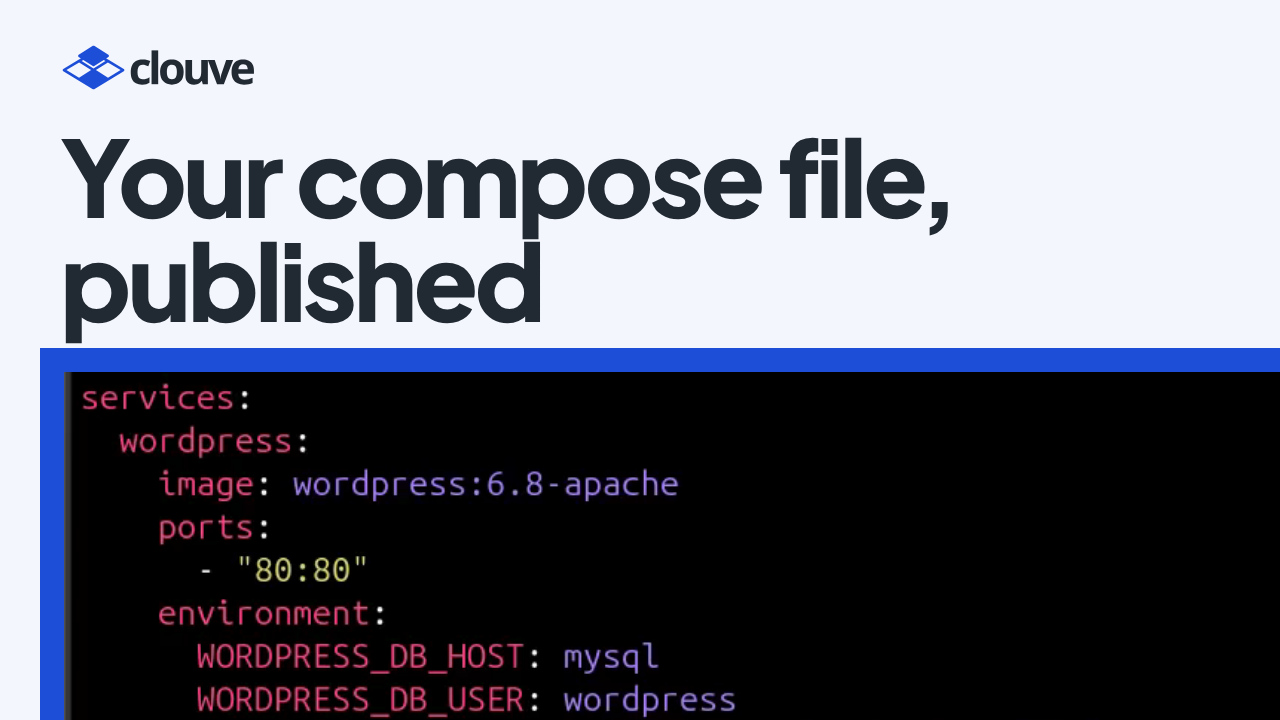
You built an app, and it runs on your laptop with Docker Compose. Selling it to businesses takes more: a separate copy for every customer, with its own address, database and passwords, plus billing and payouts.
On Clouve, the compose file you already have is where you start. Upload it, and a five-step wizard turns it into a marketplace listing. Clouve hosts a copy for every customer who subscribes, and pays you every month. Our walkthrough follows one app, WordPress with MySQL, from that file to the Earnings page.
Key takeaways
- Upload an ordinary docker-compose.yml. There’s no Clouve-specific syntax to learn and nothing to rewrite.
- The wizard gives every service its own tab, flags what the file leaves out, and turns password variables into secrets generated fresh for every deployment.
- You set a Developer Monthly Fee and, if you switch on the optional AI Assistant, an AI Assistant fee. You keep both in full.
- Once the Clouve team approves the listing, the Earnings page shows what each fee earned, and Clouve pays your balance through PayPal every month.
Between “it runs” and “it sells”
Each customer needs a copy that someone installs, keeps running and bills, with its own secrets. Clouve takes on that work, so your time goes into the app.
How it works, step by step
- Your private registry (0:28). Publishing needs developer access on your account. Your organization then gets a private container registry on Clouve: a robot account holds the credentials, and you push private images with the usual docker commands and reference them like any other image.
- The compose file you have (0:58). The demo’s file is plain Docker Compose: WordPress and MySQL, two images, a port, a few environment variables and two volumes. Submitting a new application opens the five-step wizard.
- Step one, what buyers see (1:21). The name, descriptions, category, visibility, tags and a required icon. Screenshots, a demo video, your website and docs are optional.
- Step two, containers and the AI Assistant (1:58). Upload the same compose file. Clouve gives every service its own tab and flags gaps: Compose carries no port for the database, so you set one. You size CPU, memory and volumes. The database stays private, and the password variables become secrets. One switch adds an optional AI Assistant next to your app; Clouve sets its monthly AI usage allowance, and one URL loads its skills (the demo uses Clouve’s WordPress skills). The assistant works in your containers over SSH, so it can only reach images that run Clouve’s ops shell; stock images such as the demo’s don’t. Mark more than one container public, and you get a bundle.
- Steps three to five (3:31). The Developer Monthly Fee is what you earn from each subscriber, every month; Clouve adds hosting to make the base price. With the assistant on, you can add an AI Assistant fee to the price Clouve sets. Then a version and a changelog, and a review with a readiness check and the card exactly as buyers will see it. Accept the terms and submit.
- Approved and published (5:01). The Clouve team reviews it. If they ask for changes, the feedback lands on your listing, and you fix it and resubmit. Once approved, the dashboard flips to Published and counts subscribers and this month’s revenue. Updates go out as new releases through the same flow; existing subscribers aren’t moved to a new version automatically.
- Live on the marketplace (5:17). The listing shows its base price and what the AI Assistant adds.
- Earnings (5:37). As customers subscribe, the Earnings page shows what each fee earned, split by source, and Clouve pays your balance through PayPal every month.
- The developer documentation (6:03). It covers packaging, configuration, publishing and releases, plus a guide to building AI Assistant skills.
Who benefits
Independent developers and software studios with a containerized app who don’t want to run hosting for every customer. Partners can package a bundle of apps with their standard setup for the clients they serve, and let Clouve run each copy. The developers page explains who publishing on Clouve is for.
Questions people ask
Do I have to rewrite my compose file?
No. The wizard reads standard Docker Compose and asks only for what the file leaves out, such as a database port. If you download the configuration later, Clouve’s settings come back as x-clouve blocks next to standard Compose, and the file still runs with docker-compose up.
How and when do I get paid?
You keep all of your Developer Monthly Fee and your AI Assistant fee; Clouve pays the card and PayPal fees. Your balance goes out through PayPal on the 5th of each month, with no minimum, once an organization admin adds a PayPal email. Nothing is earned from free trials, organizations with free services or AI usage top-ups. The earnings and payouts page has the details.
How long does it take to publish?
The developer docs estimate a few hours from first login to a published app for a simple single-container app, and a day or two for a bundle.
Start with the file you have
Start with an app that already runs under Docker Compose.